How to use Tadoom
The flow is the same on supported streaming platforms - just go to the watch page and Tadoom handles the rest.
Starting a party
Install the Tadoom extension
Get Tadoom from the Chrome Web Store and pin it to your toolbar so it's always one click away.
Open what you want to watch
Navigate to the episode or movie you want to watch together - don't press play yet. Once you're on the watch page, the  Tadoom icon will light up in the bottom right corner of the page - that's your cue, click it.

Start as Host
A chat panel opens on the side. Hit Start as Host - Tadoom generates a short party code. Copy it and share it with whoever you're watching with.

Share the code with your friends
Send the party code to whoever you're watching with - over WhatsApp, iMessage, wherever. They'll use it to join.
Once everyone's in, press play
Tadoom syncs playback for everyone in the party. React, chat, watch and have a blast together in real time.
Joining someone else's party
Open Tadoom from extensions
Click the  extensions icon in your Chrome toolbar and select Tadoom
Join as Guest
Choose Guest and paste the session code your friend shared.
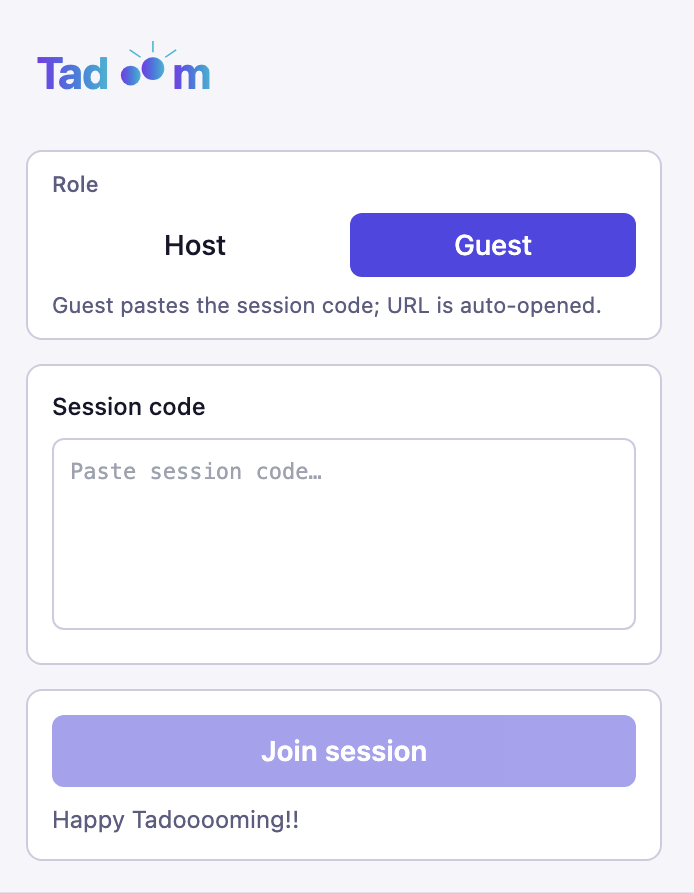
You're in - enjoy
Tadoom syncs you up with the host automatically. Happy tadooooming!!
Still have questions?
Check out the FAQ for answers to common questions, or Say hi - support@tadoom.in